dct playground
Open the hosted dbt Charts playground, an interactive YAML editor with live preview, in your browser. Built for fast iteration: edit YAML, see the dashboard render, optionally drive edits with an AI Copilot.
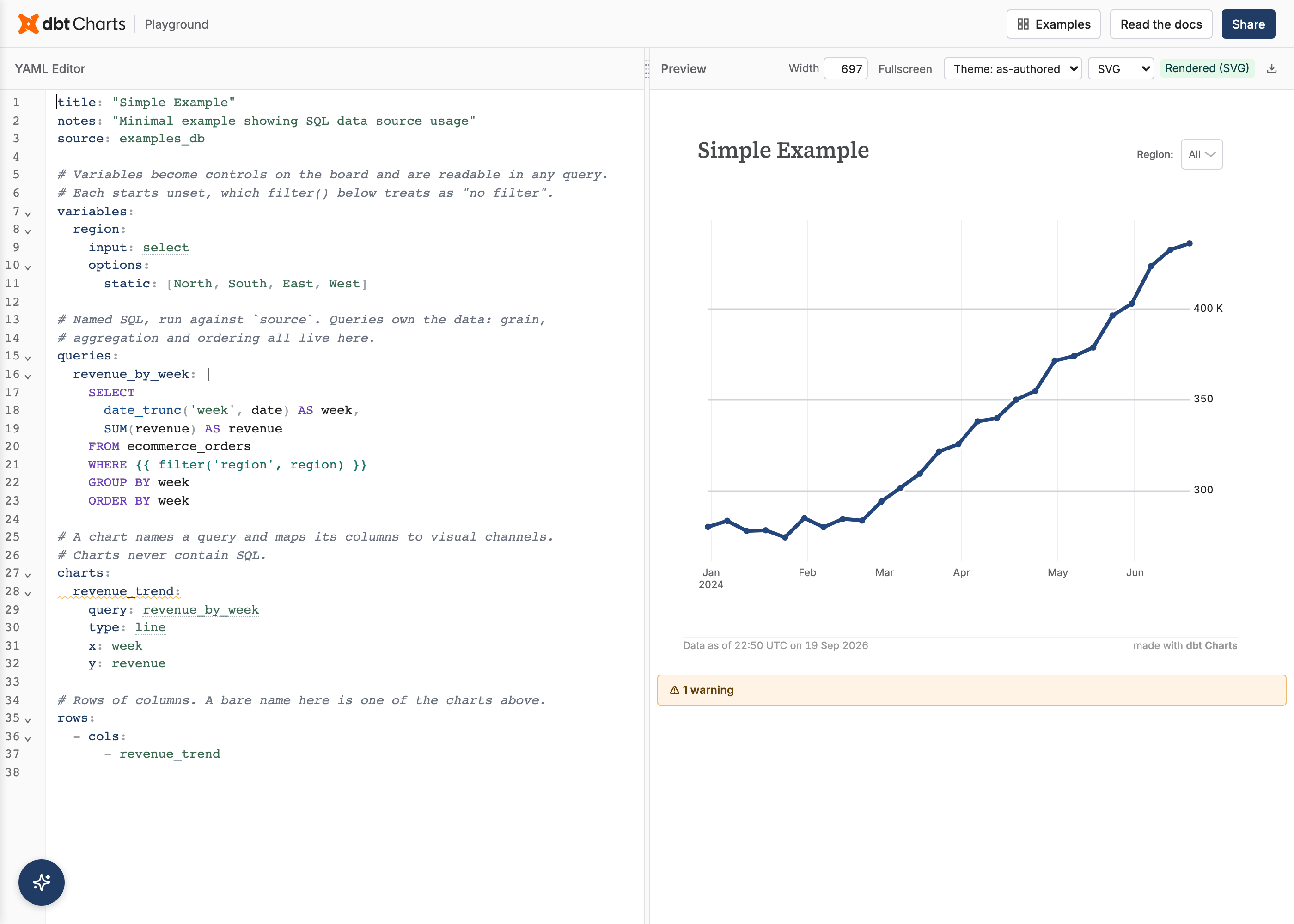
Opens https://play.dbtcharts.com in your default browser and prints the URL, which is useful when a browser can't be opened (for example, over SSH).
The hosted playground is a generic sandbox with the bundled example gallery, not your own project. To render your own boards locally instead, install the standalone dbt-charts-playground editor (not yet on public PyPI; ships via the private dbt Charts registry) and run it against your project directory:
YAML editor completions
The Playground YAML editor suggests dbt Charts keys, chart types, variable input types, themes, and local query/chart references while you type. Use Ctrl-Space on Windows/Linux or Cmd-Space on macOS to open completions explicitly.
The editor also supports a VSCode-parity keymap (multi-cursor select-next-occurrence, toggle comment, move line, undo/redo) - see the Editor Keybindings reference.
Inline validation
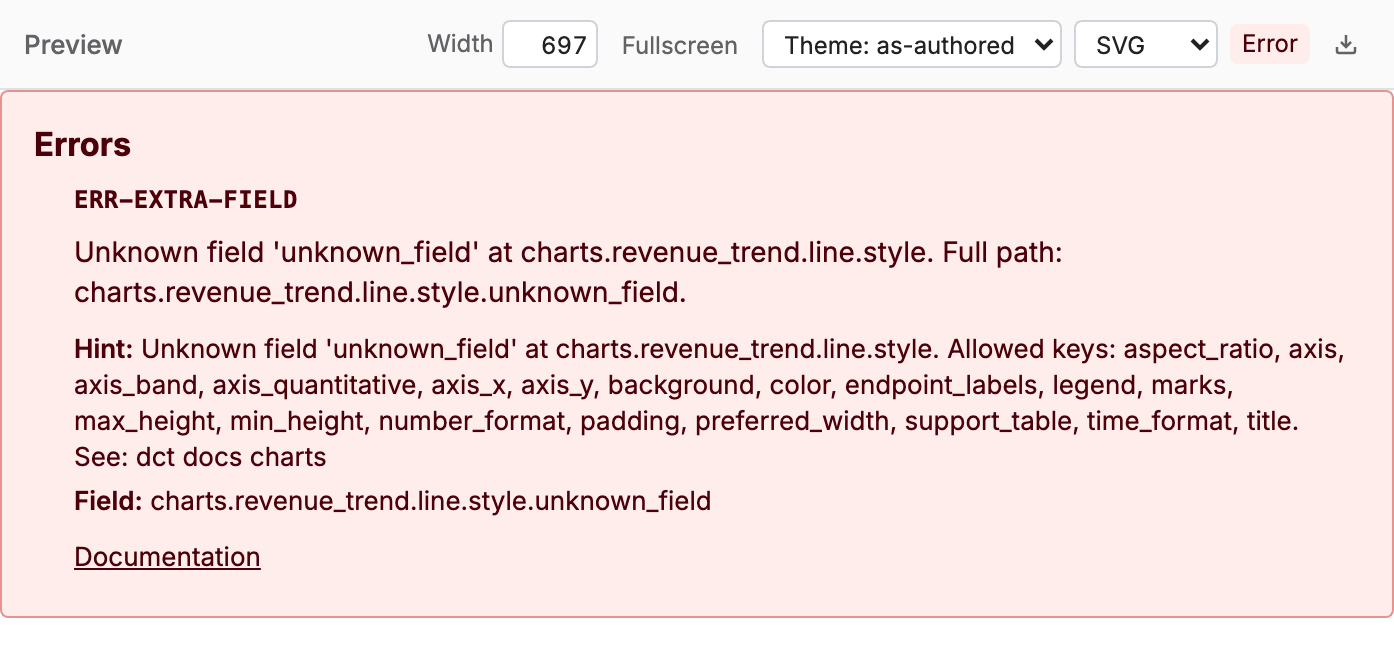
The editor validates as you type: an invalid board renders an error card in the preview pane instead of a stale or blank render; one card per error, with a code badge, message, and (where relevant) a hint and a location.
When to use what
| If you want… | Use |
|---|---|
| Live YAML editor + AI Copilot in the browser | dct playground |
| Serve boards and inspect templates against a real warehouse | dct serve |
| Static export | dct render |