dct serve
Start the local dashboard server. Renders your dashboards in the browser; board file paths map to URLs (charts/sales.yml → /sales/). Query parameters become variables.
How it finds your project
dct serve auto-discovers the project root by walking up from the current directory looking for dbt_charts.yml or dbt_project.yml. When a dbt project is found, the SQL dialect is inferred from the active profile target.
How it picks a port
Resolution order:
--portflagDCT_PORTenv varserver.portindbt_charts.yml- Deterministic hash of the project directory
If the chosen port is occupied, the next available port is used automatically.
Server config
Serve-only project settings live under server: in dbt_charts.yml.
server:
  port: 3000
  nav: true
  debug: true
Set server.nav: false to hide the dbt Charts nav bar. Set server.debug: false
to disable Starlette's debug pages.
Options
| Flag | Description |
|---|---|
--port INT |
Port number. Auto-resolved if not set. |
--host TEXT |
Host address. Default: localhost. |
--project-dir PATH |
Project directory for resolving board file paths. |
--dialect TEXT |
SQL dialect (auto-detected from dbt, or duckdb). |
--target TEXT |
dbt target name. Default: DBT_TARGET env, then profile default. |
--max-workers INT |
Maximum parallel query workers per render (default: 8, from config). Also settable via DCT_MAX_WORKERS. Effective only for external warehouse executors; DuckDB serializes access internally regardless of this setting. |
--no-cache |
Skip the query-result cache entirely (every request re-runs queries). |
--cache PATH |
Keep the query cache in this DuckDB file (created if absent). Default: a per-user file shared by every project. Also settable via DCT_CACHE_PATH. Mutually exclusive with --no-cache. |
Examples
# Start with auto-detected project + port
dct serve

# Pin a port
dct serve --port 3000

# Bind on all interfaces, such as in Docker
dct serve --host 0.0.0.0

# Use the `prod` dbt target
dct serve --target prod

# Keep the query cache in a file of your choosing
dct serve --cache cache.duckdb
Caching
Query results are cached on disk by default, in the same per-user file dct render uses. Results survive a server restart, and a board already rendered from the command line opens without re-running its queries. Two dct serve processes can run side by side and share that cache.
To keep the cache in another file, pass --cache <path>:
The file is created automatically if it doesn't exist yet. --cache also reads from the DCT_CACHE_PATH environment variable, and a project can set the same location once in dbt_charts.yml:
cache:
  ttl: 24h
  path: .dct/cache.duckdb
The flag beats the environment variable, which beats the project config; with none of them set, the per-user file is used. Several servers and renders can share any of these files; see Several processes at once. Pass --no-cache to skip the cache entirely. --cache and --no-cache are mutually exclusive.
URL routing
| Path | Renders |
|---|---|
/ |
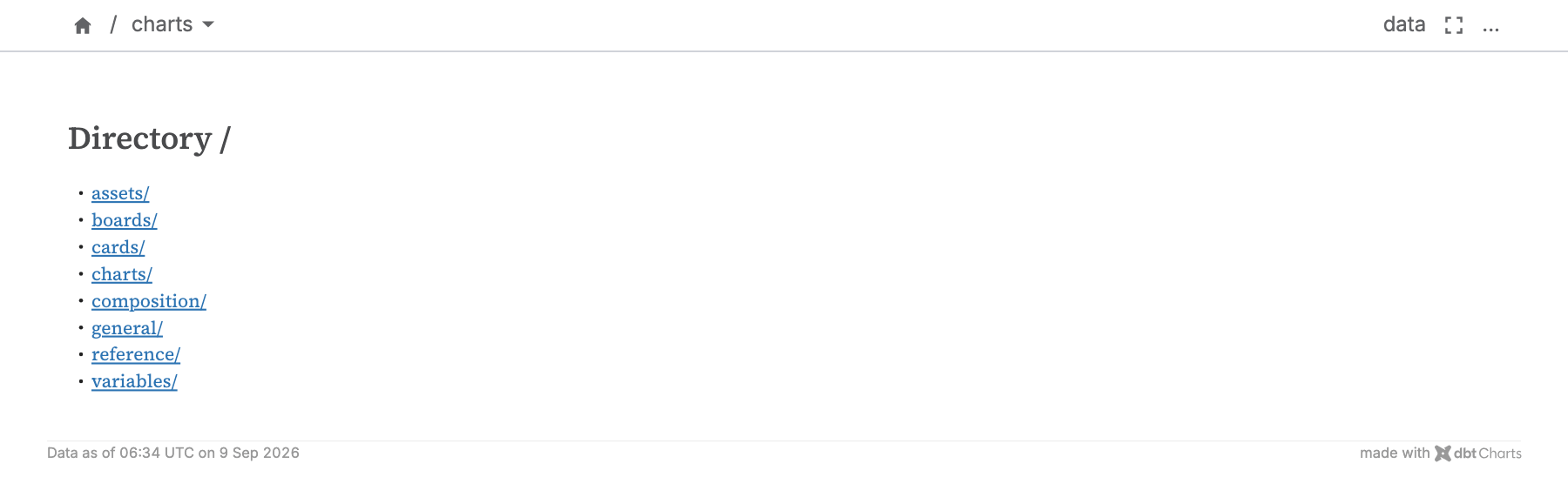
charts/index.yml if present, otherwise a listing of available boards |
/<board-name>/ |
The board at charts/<board-name>.yml |
/<folder>/ |
charts/<folder>/index.yml if present, otherwise a listing of the folder |
/<board-name>/?region=West |
Same board with region variable set |
Navigation
dct serve shows a sidebar on the left of every board and folder page whose folder holds two or more entries. Each row carries an icon: a chart for a board, a folder for a subfolder. Below the project root, a .. row leads back one level: to the listed folder's page, whose sidebar lists the folder above with this one highlighted. Boards come next, labeled by their title: (or the file name, humanized, when a board has no title); index and overview lead and the rest follow file-name order. Subfolders follow the boards.
On a board, the sidebar lists the board's own folder and highlights the board, and the top bar's path ends in the board's file name. On a folder's listing page, it lists the folder one level up and highlights the folder you are in, so moving down the tree keeps the same panel. The project root's listing lists the root, with installed packages as folders. The top bar's home button lines up with the board's left edge.
Switching pages keeps your filters. Every sidebar link carries the URL's variables, so /sales?year=2024®ion=West links to /support?year=2024®ion=West. A board that doesn't declare a variable ignores it.
The toggle at the top of the sidebar collapses it to a thin rail, and your choice is remembered in the browser. With no saved choice, it starts collapsed on narrow windows.
A folder with a single entry and error pages show the file menu in the top bar instead, and ?_embed shows no navigation. Set server.nav: false to hide all navigation.
When to use what
| If you want… | Use |
|---|---|
| Live, interactive previews while editing YAML | dct serve |
| Static export (SVG, HTML, PNG, PDF) | dct render |
| Interactive YAML editor + AI Wizard | dct playground |
Stopping the server
Press CTRL+C in the terminal.
Related
dct render: static exportdct playground: interactive editor